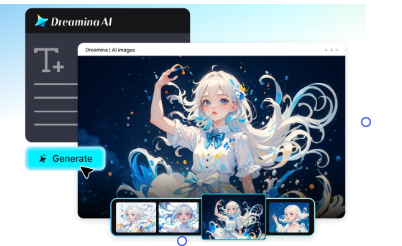
Sometimes you already know what your subject looks like. It might be a product, a character, or a location, captured in a reference photo. The creative question is not what, but how.
Morning light or evening glow?
Spring or winter?
Slow orbit or gentle push-in?
Inside Dreamina, Seedance 2.5 Draft creates 480p previews from your references so you can compare scene variations before generating a native 1080p final. Let’s see how to get the most from one reference and many ideas.
One Reference, Many Possibilities
A good reference locks down the details that matter, such as shape, color and style. That frees your prompt to explore everything else: mood, setting, motion and camera.
The result is a flexible workflow. You keep your subject consistent while testing how different scenes make it feel.
What Is Seedance 2.5 Draft Mode?
Seedance 2.5 Draft is a preview-first workflow in Dreamina. You generate 480p Drafts, choose the best take and then create a fresh native 1080p final that reuses the Draft’s prompt, references, seed, aspect ratio and duration.
Highlights for variation testing:
Vary, Compare, Finalize: Three Steps With Seedance 2.5 Draft
Here is how to explore variations in Dreamina.
Step 1: Create a 480p Draft
Start a Draft request with your scene description and any image, video or audio references.
For example, upload a photo of your teapot and write: A handmade ceramic teapot rests on a rustic wooden table by a window as the camera slowly pushes in, gentle steam rising, soft morning light, calm cinematic still-life.
Set Draft mode on and choose 480p, the supported preview resolution. Wait until the Draft succeeds before reviewing the video.
Step 2: Compare takes and choose the shot
Next, fine-tune your settings by selecting a model, Seedance 2.5 Draft. You can also choose the size of the video, for example 16:9 for a YouTube channel or 9:16 for social media Reels. Lastly, select the duration of video you desire and click generate.
Step 3: Generate and review the final
Watch for composition, performance, camera movement, dialogue, audio, and pacing. Then create variations: change the light, the season, or the camera move, and compare. Refine the prompt or references and create new Drafts when you want a different creative direction. When the task succeeds, download and review the newly generated final for continuity, lighting, and detail before delivery.
Variation Idea 1: Time of Day and Light
Light changes everything. Soft morning window light feels calm, golden hour feels warm and nostalgic, and lamplight at night feels cozy and intimate.
Try running the same reference across three light settings and compare how each one shifts the mood.
Variation Idea 2: Season and Setting